Google Business Profile Audit for Event Venues in Ten Minutes
What do planners and parents see before they ever reach your website?

Alexander Boyles
Marketing

Ask someone how they found the venue for their kid's last birthday party or their team's last outing, and the answer is usually a search. Something like "birthday party places near me" or "team building activities Columbus," typed on a phone at the end of a long day or between meetings.
What comes back first is most often a map with three venues pinned on it, each with a star rating, a few photos, opening hours and a button to call. Plenty of parents and planners make their shortlist right there, whether they're booking a birthday, a holiday party or a school trip. That makes your Google Business Profile the first version of your venue they meet.
It's also, most often, the page venues set up once and leave alone. Here's a ten-minute audit you can run on yours today. It builds on Play 1 of The Modern Venue Booking Playbook, which is about being visible where people actually look.
Why your profile does more work than your homepage
Google ranks local results mainly on relevance, distance and prominence, according to its own guidance for business owners. You can't change how far someone lives from you. The other two are largely in your hands.
Relevance depends on how well your profile matches the search, so your categories and descriptions matter. Prominence comes partly from reviews and ratings, and Google says plainly that there's no way to pay for a better position.
The ten-minute audit
Open your profile on your phone, the way a parent or planner would see it, and work through these five checks.
1. Your categories (two minutes)
Your primary category tells Google what your venue mainly is, and you can add up to nine more. If events are a real share of your revenue (corporate events, group outings, birthdays) and a fitting category exists, it belongs on the profile. Google is clear that categories shouldn't be used as keywords, so keep them honest and use your description and services to cover each event type you sell.
2. Where your links go (one minute)
Tap the website link. Most venues send it to the homepage, so someone who searched for an event space has to go looking for the events page. Point it, or a dedicated booking link, at the page that answers event questions and takes a booking. We covered what that page needs in our landing page best practices. That post uses birthday parties as the example, but most of it applies to any event page.
3. Your photos (three minutes)
Scroll through your photos as a stranger would. Is there a single picture of an event space set up and ready, or of a group actually enjoying themselves? Many venue profiles are mostly exterior shots and old customer uploads. Add a handful of current event photos that cover what you sell, say a birthday table as well as a room set for a corporate lunch, and refresh them each season.
4. Your reviews and replies (three minutes)
Read your ten most recent reviews and count how many have a reply. Google notes that replying shows customers you value their feedback. Parents and planners read the replies too. A calm, specific response to a disappointing review tells the next person how you handle things when they go wrong.
5. Hours and the details people plan around (one minute)
Set holiday hours well before the season starts, since plenty of holiday party planners start looking months ahead. Check that your listed hours don't contradict your event times. If you host private events before public opening, or take buyouts after close, say so in your description. Add the attributes people care about too, such as parking and accessibility.

Check your profile
Once you've been through the five checks, tick off each statement that's true of your profile today.
Our categories reflect what we actually sell, including the events we host.
The link on our profile takes people to a page where they can see event options and book.
Our profile has recent photos of events at our venue, across each type we host.
We reply to recent reviews within a few days, including the critical ones.
Our hours, holiday hours and event times are current and match each other.
If you couldn't tick the link or the photos, start there. Both take a few minutes, and they change what a parent or planner sees straight away. Then work through anything else left unticked, and run the checklist again next month.
Where the Q&A section went
If you used to answer questions in your profile's Q&A section, you may have noticed it's no longer on your public Maps listing. Google confirmed in December 2025 that it was replacing Q&A with an AI-powered Ask button, which gives people instant answers drawn from business owners' responses and relevant reviews. In March 2026 it went further with Ask Maps, a conversational search in Google Maps that launched in the US on mobile.
You can still answer existing questions from your Business Profile, and Google says those answers help it respond to similar questions later. Even so, the answers to "can we bring our own cake?" or "is there room to park a bus?" are safest where you control them: in your services descriptions and on your events page. If they aren't answered anywhere you control, the answer someone sees may come from a stranger's review.
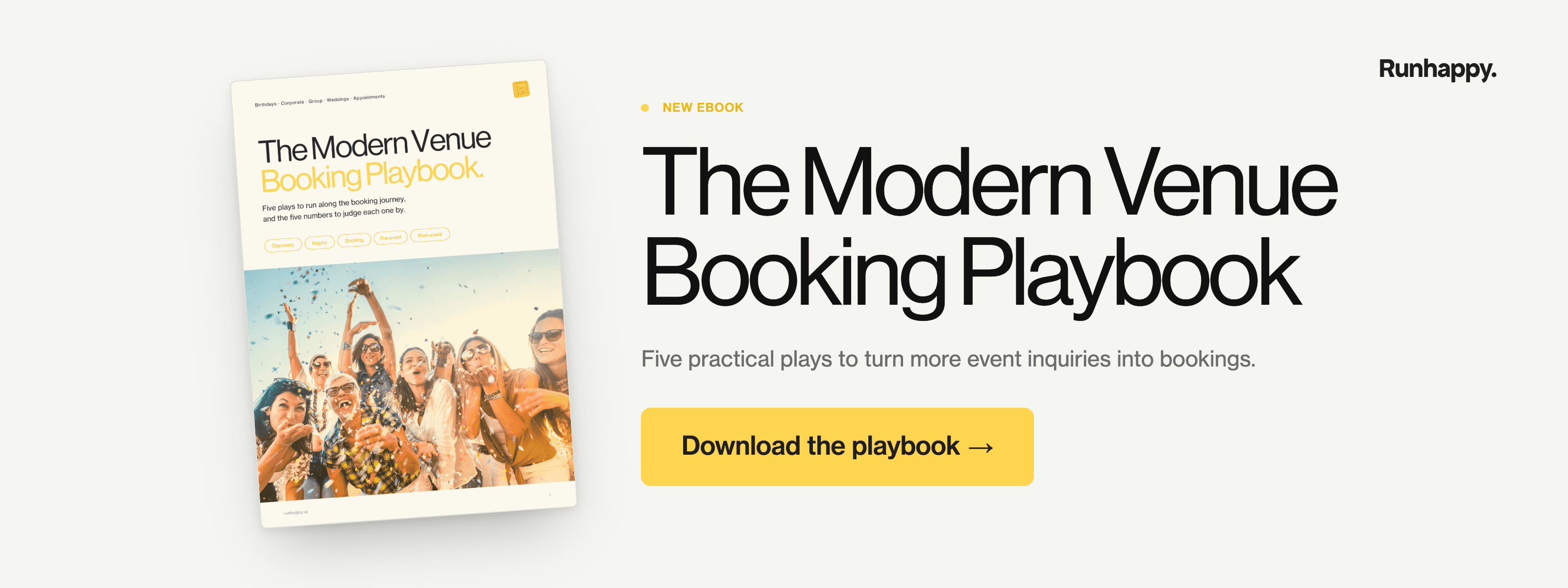
This audit covers one part of the first play. Download The Modern Venue Booking Playbook for all five plays, from the first search through to the rebooking. For each play it names the one metric worth tracking, such as response time or rebooking rate, and it ends with a scorecard for your whole booking process.
What to watch once it's done
Open the Performance section of your profile to see how many people called you, clicked through to your website or asked for directions. Note today's numbers, make your changes, and look again in a month.
The number the playbook asks you to track for this play is event-page traffic from search. Once more people reach your events page, the next question is how quickly they hear back. We looked at that for birthday parties in how many bookings you may be losing to slow reply times, and the same pattern shows up with corporate and group inquiries.
Turn more searches into bookings, and more bookings into regulars
Your Google profile is one of the ways people find you, alongside your website, ads, social and word of mouth. Wherever they come from, what happens next decides whether they book. That means how quickly they hear back, whether anyone follows up when they go quiet, how easy the booking is, and whether they have a reason to come back next year.
In our experience, a venue's gaps are usually spread across that journey. A venue with a strong profile might still lose people to slow replies. A venue that replies fast might never hear from a group again after the event. We work on all of it with venues every day, across birthdays, corporate events and group outings, and this audit is one small piece of that.
Runhappy helps venues bring in more of the right people, answer every inquiry fast, and turn more first-time groups into regulars. Want a second opinion? Send us your venue and we'll share what we'd look at first, whether that's your profile or another part of the journey.
Start with your own search
Before you change anything, search for your event type and your city on your phone and see which venues come up first. That's the shortlist your next guest sees. Then download the playbook and work through the rest of your booking process, from the first inquiry through to the rebooking.
Frequently asked questions
Does my Google Business Profile matter if my website already ranks well?
Yes. For local searches like "event venue near me," map results usually appear above website listings, so many people see your profile first.
How often should a venue update its Google Business Profile?
A monthly check suits most venues, with fresh photos each season and holiday hours set well ahead.
Should I add separate categories for corporate events and birthdays?
Only where a fitting category exists and it reflects what you actually sell. Google says categories shouldn't be used as keywords, so use your description and services to cover each event type.
Can I still add questions and answers to my Google Business Profile?
Partly. Q&A no longer shows on your public Maps listing, but you can still answer existing questions from your Business Profile, and Google uses those answers alongside reviews when people ask questions in Maps. Put your most common event answers on your events page and in your services descriptions too.
Should I reply to every Google review?
Aim to, starting with recent and critical reviews. Keep each reply short and specific to what the guest wrote.
Which photos should a venue add to its profile?
Recent photos of your event spaces set up and in use, covering each event type you sell. Most profiles we see lean on exterior shots, so a few current event photos usually make the biggest difference.
Our Blog.




Stay in the Loop
More bookings. Higher upsells. Fewer missed leads. Subscribe to our newsletter for the strategies and stories behind venues running on autopilot with Runhappy.